Service Business Website Tips That Actually Get Leads
Service business website tips for contractors: page-by-page structure, local SEO basics, and the path from click to booked job.


You finished a job in a neighborhood you have never worked in before. The homeowner is happy. She mentions her neighbor needs the same work. The neighbor walks over, gets your number, says he will look you up that night.
That night he searches your business name and finds nothing. Or he finds a Facebook page from 2019 with a wrong phone number. Or he finds a website that looks like a 2007 Yellow Pages ad and decides to call the company with the clean site instead.
You did not lose that lead at the job site. You lost it on the website.
The good news is service business websites do not need to be complicated to work. They need to do four things: tell a stranger you exist, prove you are credible, make calling or booking obvious, and show up when somebody types “{your trade} near me” into Google. That is the whole job. Most of the bloated, slow, generic-stock-photo websites in your trade fail at all four.
This guide is the page-by-page version of what actually works for a service business website — not for an e-commerce store, not for a SaaS startup, but for a local service business that needs the phone to ring.
What a Lead-Generating Service Business Website Actually Does
A service business website has one job that matters more than every other job combined: turning a visitor into a phone call, a form fill, or a booking request.
That is the only metric that pays the bills. Time on page is irrelevant. Bounce rate is irrelevant. The number of pages indexed is a means to an end. The end is a stranger picking up the phone.
Most service-business websites underperform because they were built on the wrong scoreboard. The web designer optimized for “modern” or “premium” or “engaging” — none of which a homeowner with a leaking water heater cares about at 9 PM on a Sunday. That homeowner cares about three things in this order:
- Do you do the thing I need?
- Do you serve where I live?
- How do I reach you right now?
Every page on your site should answer one of those questions in under five seconds. Donald Miller calls this the “grunt test” — if a stranger can grunt out what you do, where you do it, and how to hire you within five seconds of landing on your homepage, you pass. Most contractor websites fail it.
The Eight Pages Your Contractor Website Needs
You do not need 40 pages. You need 8 done well. Here they are, in priority order.
1. Homepage
Your homepage has about three seconds to convince a visitor you are a real, local, capable service business. The structure that works:
- Headline that names the trade and the geography: “Licensed Plumbers Serving Tarrant County, TX — Same-Day Service” beats “Welcome to ABC Plumbing.”
- Phone number in the top-right corner, click-to-call on mobile. Make it the largest non-headline element on the page.
- Three trust signals visible without scrolling: a star rating, a license/insurance line, and a “X years serving {area}” stat.
- Three primary services with photos, each linking to its own service page.
- One “Get a Quote” or “Book Now” button in the hero section. Just one. Multiple competing CTAs reduce conversions.
- Real photos of your trucks, your team, your finished work. Stock photos of generic technicians are detected as fake instantly and they tank your conversion rate.
What does not belong on the homepage: a long company history, an animated hero video that takes seven seconds to load, a chatbot that asks “How can I help you today?” before the visitor has read anything.
Site speed matters more than most contractors realize. HubSpot data shows 47% of visitors expect a page to load in under two seconds, and every additional second of load time reduces conversions by roughly 7%. A slow homepage is not just a technical problem — it is a lead problem.
2. Service Pages (One Per Major Service)
This is where most service sites collapse. They have a single “Services” page that lists everything in bullet points and ranks for nothing.
You need a separate page for every service you want to be found for. A roofing company does not have one “Services” page — it has pages for roof replacement, roof repair, storm damage, gutter installation, and inspection. Each one targets the keyword its searcher actually types.
Each service page should include:
- The service name in the H1 and URL:
/services/water-heater-replacement, not/services/page-3 - A short description of when a customer typically needs this work — written in homeowner language, not trade jargon. “Water heater replacement is usually needed when…” beats “Water heater installation services are provided by…”
- What is included in the job — three to six bullets covering the actual scope
- Pricing transparency where possible — even a range (“Most water heater replacements run $1,400 to $2,800 depending on tank type and code requirements”) wins more leads than “Call for pricing”
- Two to four photos of completed work in this category
- A specific FAQ — three to five questions actual customers have asked you about this service
- A clear CTA at the bottom: phone number, form, or both
Service pages are also where you will rank for the high-intent searches: “water heater replacement near me,” “emergency drain cleaning {city},” “roof repair after hail damage.” Without dedicated service pages, you will never see those searches.
3. Service Area Pages
If you operate in more than one city, town, or county, you need a page for each one. This is how local service businesses outrank big national chains in specific neighborhoods.
A service area page is not a duplicate of your homepage with the city name swapped in. Google penalizes that. A real service area page includes:
- A specific headline: “Plumber in Arlington, TX”
- A short paragraph that mentions actual neighborhoods, landmarks, or zip codes you serve — not “Arlington and surrounding areas”
- Local proof: a photo of a recent job in that area, a testimonial from an Arlington customer, a mention of an Arlington-specific permit office or building code if relevant
- Driving time or coverage detail: “We dispatch from our Mansfield shop, average response time to Arlington is 35 minutes”
- Embedded Google Map showing your service radius centered on that city
Five well-built service area pages beat 50 thin ones. Pick the top five revenue cities and build those first.
4. About Page
The About page is not company history theater. It is a trust page.
A homeowner is about to let a stranger into her home. She wants to know who that stranger is. Show her:
- Photos of the actual team, with first names and roles
- The owner’s story in two short paragraphs — why you started, how long you have been in the trade, where you trained
- License numbers, insurance details, manufacturer certifications (NATE, EPA 608, master plumber license, IICRC, etc.)
- One specific “what we believe” line that is not generic. “We do not leave a job site dirtier than we found it” beats “We pride ourselves on excellence.”
Skip the founding-mission-statement paragraph. Nobody reads it.
5. Reviews / Testimonials Page
A standalone reviews page is one of the highest-converting pages on a service site. It also helps you rank for “{your business name} reviews” — which matters because almost every prospect searches your name plus “reviews” before booking.
Pull testimonials from your Google Business Profile, Yelp, and Facebook. Quote them verbatim, attribute by first name and city, and include the star rating. If you have video testimonials, even rough phone-camera ones, embed them — video reviews convert at roughly two to three times the rate of text.
Do not write your own fake testimonials. Search engines, review platforms, and especially homeowners can detect them. The penalty is permanent.
For a deeper look at which review platforms carry the most weight for service businesses, see the guide to best business review sites for small business.
6. Contact Page
The contact page should answer the question “how do I reach you?” without forcing the visitor to read anything.
- Phone number, large, click-to-call
- Text-message number if you accept texts (many contractors get more booked jobs from text than from forms)
- A simple form with five or fewer fields: name, phone, email, service needed, brief description. Every additional field drops conversion by roughly 5-10%.
- Service area map
- Business hours, including emergency hours if you offer them
Skip the CAPTCHA that asks visitors to identify bicycles. The 4% of bot submissions you block is not worth the 25% of real customers you lose.
7. Blog or Resources
A small blog with five to fifteen useful posts answers the long-tail searches your service pages do not. “How long does a water heater last,” “do I need a permit to replace a panel,” “what is the difference between standing-seam and shingle roofing” — these are real searches your customers run before they call.
You do not need a daily blog. Five posts that genuinely answer your most-asked questions will outrank 200 thin posts every time. Update them once a year. If you want to set up a simple site yourself quickly, the guide to AI website builders for small business covers the fastest current options.
8. Estimate or Booking Page
Whether you call it “Get a Free Estimate” or “Book a Service Call,” this is your conversion page. It deserves the same care as your homepage.
The booking page should:
- Repeat the trust signals from the homepage (rating, license, years in business)
- Set the right expectation (“Most quotes returned within 24 hours” or “Same-day service most weekdays”)
- Use a short form, not a long one
- Show what happens next (“After you submit this form, we will call you within 2 hours during business hours to confirm details and schedule.”)
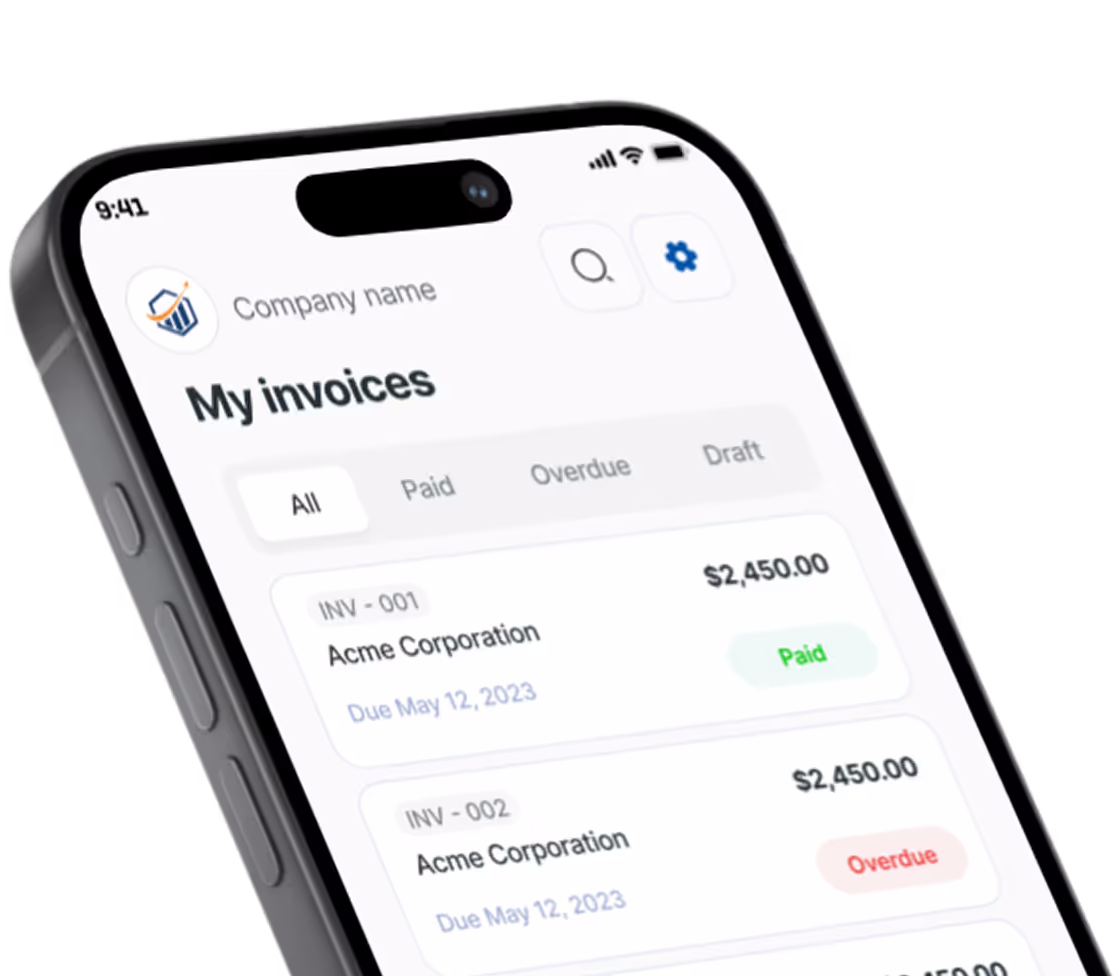
If you take payment online — for a service-call deposit or a flat-rate diagnostic fee — you can connect a payment link directly on this page. Pronto Invoice’s online payment links accept card or ACH on a hosted page that connects back to your invoicing, which means a deposit collected on the website becomes a real invoice in the system without any double entry. The link can live on the booking page, in the auto-reply email after a form submission, or in the confirmation text after you accept the job.
Local SEO for Service Businesses: How You Show Up in “Near Me” Searches
A pretty website that nobody finds is a billboard in a desert. Local SEO is what gets it found.
The four foundations:
Google Business Profile
This is the single highest-leverage thing a service business can do online. Free. Mandatory. Often neglected.
- Claim your profile at google.com/business
- Fill out every field: hours, services, service areas, attributes, payment methods accepted, year founded
- Add photos weekly — profiles that post photos consistently rank visibly higher in the local pack
- Respond to every review, good and bad, within 48 hours. The response is more important than the rating.
- Post Google Business updates twice a month — special offers, completed jobs, seasonal reminders
- Make sure your business name, address, and phone number match exactly between your website, your Google Business Profile, and any directory listings
According to BrightLocal’s annual local consumer survey, 87% of consumers used Google to evaluate local businesses in 2024. Your Google Business Profile is doing more selling than your website on most days.
NAP Consistency
NAP stands for Name, Address, Phone. Inconsistent NAP across the web — different phone formats, abbreviated addresses, slight name variations — confuses search engines and tanks your local rank.
Pick one canonical version of your name, address, and phone. Use it everywhere: Yelp, Bing Places, Apple Business Connect, Angi, HomeAdvisor, Nextdoor, Facebook, your industry directories. Identical formatting on every listing.
On-Page Local Signals
Search engines confirm you are local by reading your site. Make it obvious:
- Mention the city or service area in every page’s title tag, H1, and first paragraph
- Embed a Google Map on the contact page and service area pages
- Include LocalBusiness schema markup — most modern site builders generate this automatically when you fill in the address fields. If your developer asks “do we need schema?” the answer is yes.
Reviews and Review Velocity
Google’s local algorithm weights review count, review velocity (are you getting new ones consistently), and review keywords (does the review text mention your services). The simplest path to more reviews is the most-skipped one: ask every satisfied customer.
Send a one-line text the day after the job: “Hi {Name}, thanks again for trusting us with the water heater. If you would not mind sharing a quick review, here is the link: {direct link to your Google review form}. Means the world to a small business like ours.”
Trades that text the review link the same day get review rates around 30-40%. Trades that wait a week and email get 3-5%.
Common Mistakes That Kill Service Business Websites
Real patterns from auditing dozens of contractor sites. Most of them are fixable in an afternoon.
- Phone number not click-to-call on mobile. 70%+ of service-business traffic is mobile. If a homeowner has to highlight, copy, and dial, you lose her.
- No phone number above the fold. It is the most important element on your site. Treat it like one.
- Slow load times. A site that takes 6+ seconds to load loses roughly half its traffic before the page even renders. Every second over 3 seconds costs you leads.
- Stock photos of fake technicians. A homeowner can spot a stock-photo “professional” in milliseconds. Use real photos of your trucks, your crew, your work.
- Generic copy. “We provide quality service to our valued customers” tells nobody anything. Replace every fuzzy claim with something specific.
- No pricing information at all. “Call for pricing” loses you the customer who is comparing three quotes. A range, a starting-from number, or a flat-rate diagnostic fee earns the call.
- Forms with 12 fields. Every field after the fifth one drops your conversion. You can ask the rest of the questions on the call.
- No reviews visible. Trust signals exist to be seen. Pull them onto the homepage and the service pages, do not bury them.
- No service area pages. If you serve five towns and only have a homepage that lists them in a paragraph, you are competing for the same single ranking. Build five pages.
- Site built on a platform you cannot edit. If updating a phone number requires emailing the developer who built the site three years ago, you are going to leave the wrong number live for months. Pick a platform you can edit yourself.
What You Can Build This Weekend
If your website is missing or in bad shape, here is a weekend version of these service business website tips that gets you 80% of the value:
Saturday morning: Pick a website builder you can edit yourself — Wix, Squarespace, Hostinger, or a WordPress theme. Buy a domain that is your business name. Set up the eight pages from this guide as outlines, even if they are mostly placeholder text.
Saturday afternoon: Take photos. Real photos. Your trucks, your crew, your shop, three to five recent completed jobs. Use a phone camera in good light. Upload them to the relevant pages.
Saturday evening: Claim your Google Business Profile. Fill out every field. Add the photos you took. Set service areas.
Sunday morning: Write the homepage and the top three service pages. Use the structure in this guide. Two to three short paragraphs each. Specific, local, in your voice.
Sunday afternoon: Set up the contact form. Test it from your phone. Make the phone number click-to-call. Add the embedded map. Connect a payment link if you collect deposits.
Sunday evening: Text 10 recent customers and ask for a Google review. Use the script above.
Monday you have a website. It will not be perfect. It will be enormously better than what 80% of your competitors have, and it will start producing leads inside of 30 days.
Once the Phone Starts Ringing
Building the site is half the job. The other half is making sure the leads it produces actually become paying customers.
Three things that matter once the leads come in:
- Speed of response. A 5-minute callback on a web form converts at roughly 8-10x the rate of a 60-minute callback. The first contractor to respond usually wins.
- A professional invoice the same day as the job. Send the invoice while the customer is still pleased with the work. Branded invoices, sent fast, get paid 40% faster than generic ones sent late.
- Online payment that works on the customer’s phone. A “Pay Now” link on the invoice — emailed and texted — converts to a same-day payment far more often than “I will mail you a check this week.”
Once you have a new client onboarded from your website lead, a clear client onboarding process for service businesses keeps the relationship professional from day one. And if a job grows beyond the original scope before you have sent anything, having a scope creep prevention plan in place protects your margin.
Pronto Invoice handles the part that happens after the website. Lead comes in, you book the job, you finish it, and the invoice goes out before you leave the driveway — voice-dictated or 5 steps on your phone, with an online payment link the homeowner can tap from her couch.
The website gets the lead. The invoice closes the loop.
If you want a free invoicing app that handles the back end of the workflow your new website is feeding, start free with Pronto Invoice — no credit card, native iOS and Android apps, online payment links included.
There is always something more to read

How to Get Clients for a New Business: 10 Plays That Work
Get clients for a new business with 10 proven plays: outreach, Google Business Profile, referrals, and local SEO.