
The Problem with “Mobile” Invoicing
Most invoicing apps treat mobile as an afterthought. They shrink their desktop interface onto a small screen and call it a mobile app. The result:
- Tiny tap targets that require precise finger placement
- Multiple screens to accomplish simple tasks
- Constant scrolling through desktop-designed forms
- Unreliable connectivity at job sites or remote locations
- Slow performance from web-based wrappers pretending to be native apps
Field service professionals know this frustration. You finish a job, pull out your phone to invoice the customer, and spend five minutes fighting with an app that was designed for someone sitting at a desk.
Pronto Invoice takes the opposite approach. The mobile app came first. Every feature, every screen, every interaction was designed for someone holding a phone with one hand while standing on a job site.
How the Mobile App Works
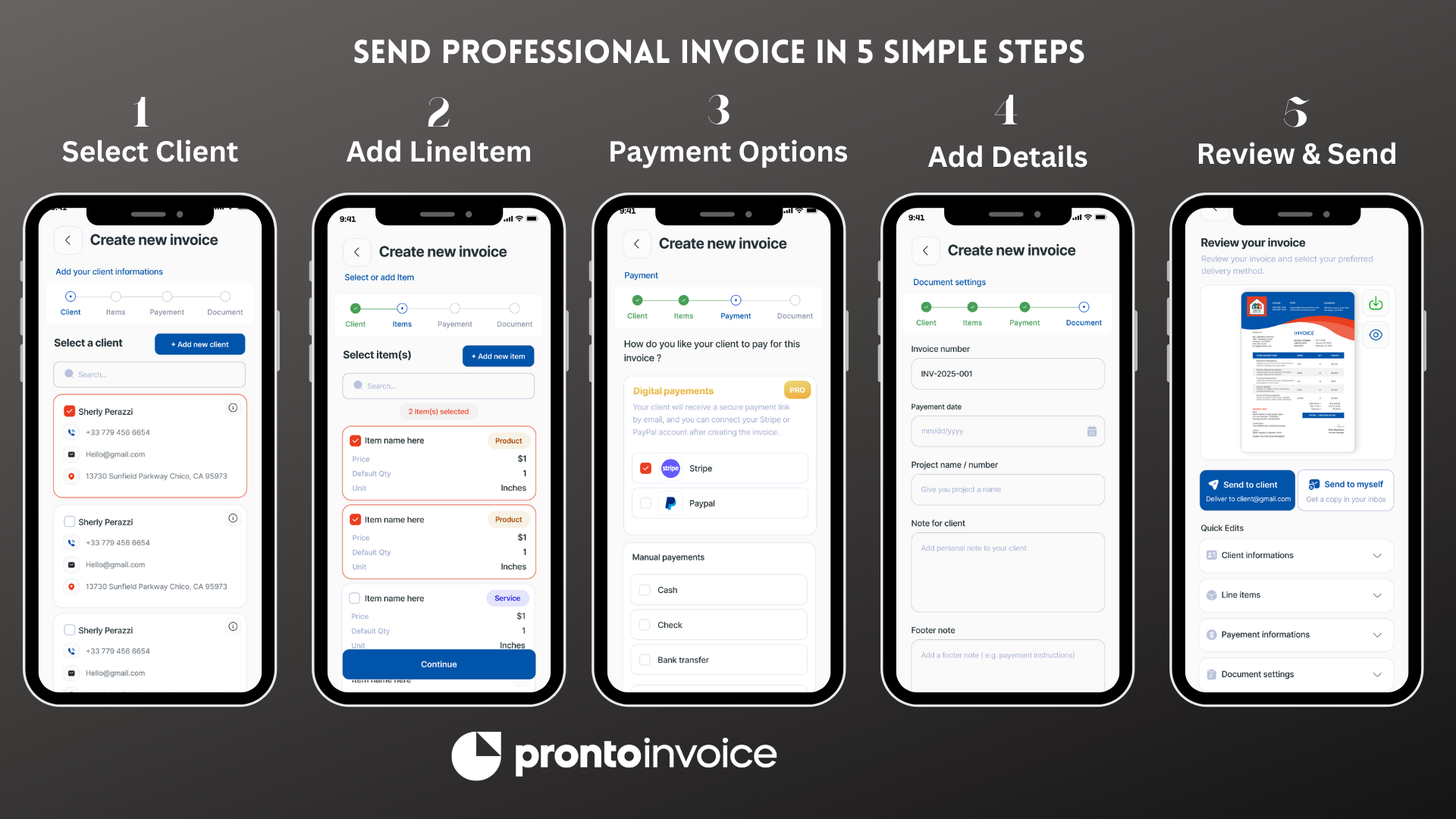
The mobile app uses the same 5-step workflow as the web version. No reduced functionality, no missing features—just the same invoice creation process optimized for touch.
Step 1: Select Client
Tap to search your saved clients by name, company, or email. Or create a new client on the spot. The app can also import contacts directly from your phone’s address book—select a contact and their name, email, and phone number populate automatically.
Step 2: Add Items
Browse your saved products and services with large, tappable cards. Each item shows:
- Name and description
- Price per unit
- Default quantity
- Tax status
Add items with a single tap. Adjust quantities inline. Create custom line items for one-off work without leaving the flow.
Step 3: Payment Information
Choose which payment methods to accept:
- Credit/debit cards via Stripe
- Bank transfer with your account details
- Check with payee information
- Venmo, Zelle, Cash App with your usernames
- Cash for in-person payment
- Custom instructions for anything else
Toggle methods on or off with simple switches. The customer sees only the options you enable.
Step 4: Document Information
Set invoice details with pre-filled defaults:
- Invoice number (auto-generated or custom)
- Invoice date and due date
- Project name
- Notes to client
- Terms and conditions
- Footer message
Most fields have smart defaults based on your settings, so you can skip through quickly on routine invoices.
Step 5: Review and Send
Preview the complete invoice as a PDF. Pinch to zoom and scroll through the document exactly as your customer will see it. Then:
- Send via email to the client’s address on file
- Share via any app (text message, WhatsApp, Slack)
- Download PDF to your device
- Print if connected to a printer
The entire process takes under 60 seconds for returning clients with saved items.
Full Invoicing on Your Phone
The mobile app includes every feature available on web. This is not a companion app—it is the complete invoicing solution.
Documents
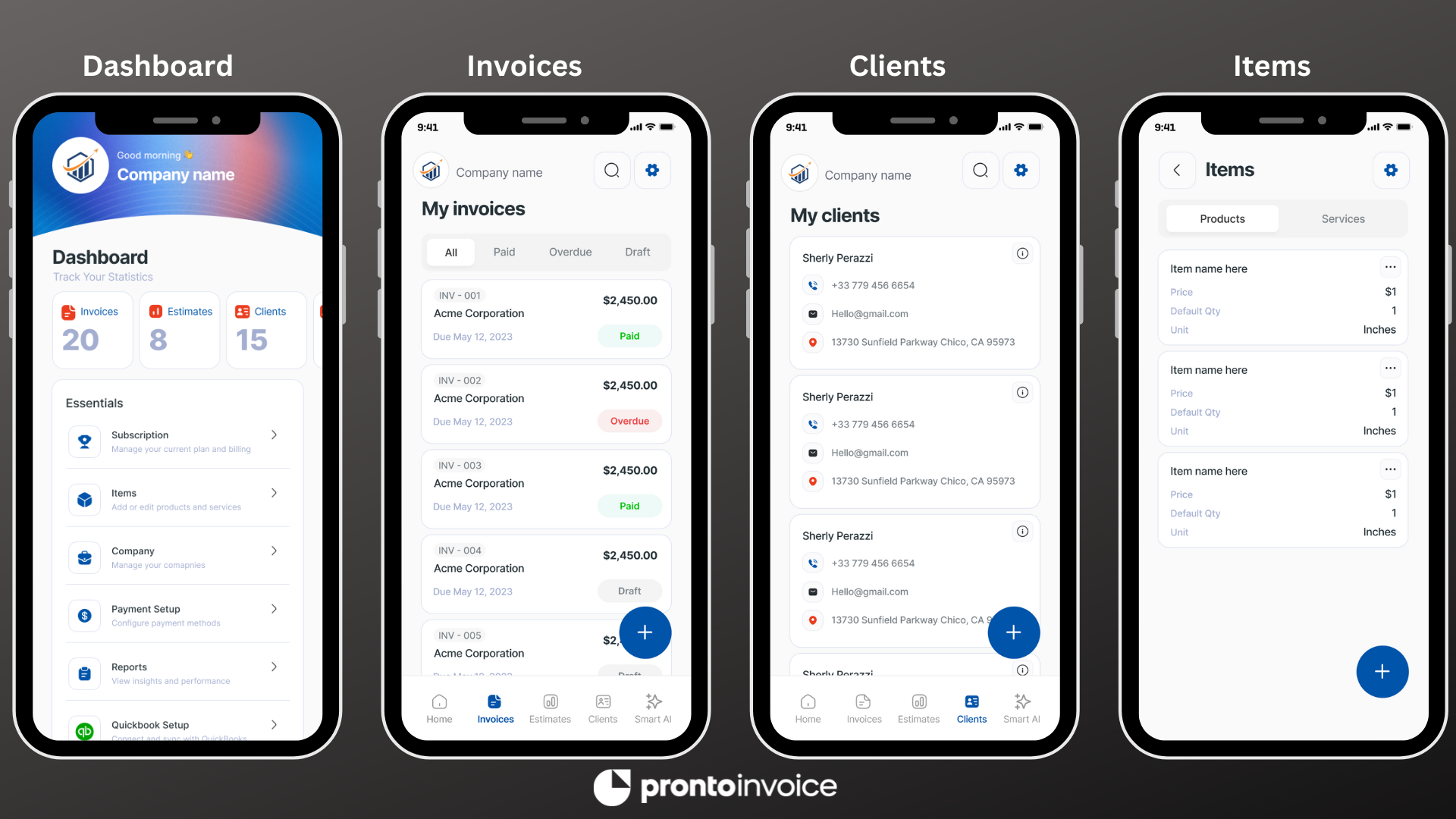
- Invoices – Create, edit, send, and track payment status
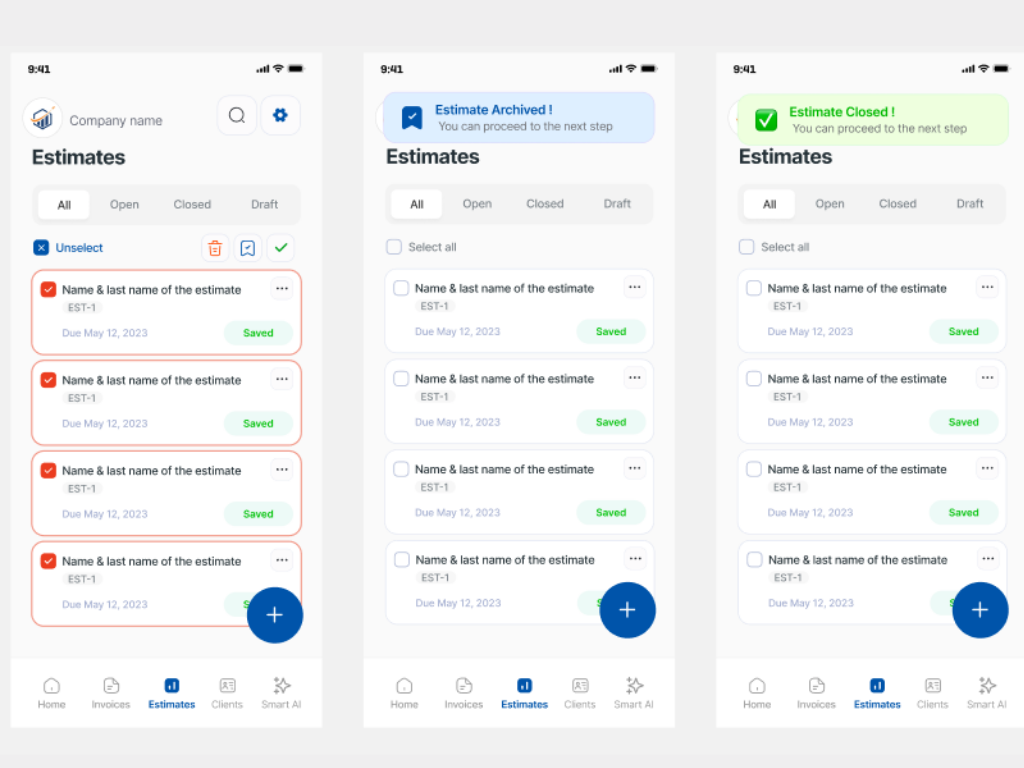
- Estimates – Professional proposals that convert to invoices with one tap
- Recurring Invoices – Set up automatic invoice generation on any schedule
Client Management
- Client profiles – Store contact info, addresses, and notes
- Import contacts – Pull from your phone’s address book
- Client history – View all invoices and estimates for each client
- Quick search – Find any client by name, company, or email
Item Library
- Product catalog – Save frequently used items with default pricing
- Service entries – Store hourly or project-based services
- Quick add – Create new items without leaving invoice creation
- Price overrides – Adjust pricing on any invoice without changing defaults
Payment Tracking
- Status updates – See paid, pending, and overdue at a glance
- Record payments – Log cash, check, or offline payments manually
- Payment history – View all payments received per invoice
Expense Tracking
- Receipt capture – Photograph receipts with your camera
- Expense logging – Record business expenses with categories
- Receipt storage – Keep digital copies organized
Reports
- Revenue summaries – Track income by date range
- Client reports – See earnings per client
- Outstanding invoices – Monitor unpaid balances
Built for How You Actually Work
Pronto Invoice mobile includes features specifically designed for creating invoices in the field.
One-Handed Operation
Every critical action is reachable with your thumb. Navigation tabs sit at the bottom of the screen. Primary buttons are positioned in the lower third. You can create and send a complete invoice without shifting your grip or using two hands.
This matters when you are:
- Holding a clipboard or tool in your other hand
- Standing on a ladder
- Wearing work gloves
- Showing the customer the invoice while discussing the job
Voice Input
Tap the microphone icon to dictate instead of type. Speak line item descriptions, client notes, or project names. The app transcribes in real time and you can edit afterward if needed.
Voice input works for:
- Line item descriptions
- Notes to client
- Project names
- Custom payment instructions
Useful when your hands are dirty, cold, or occupied.
Camera Integration
Use your phone’s camera directly within the app:
- Receipt capture – Photograph receipts and attach to expenses
- Job site photos – Attach up to 4 images to any invoice
- Business card scanning – Create client records from photographed cards (coming soon)
Photos help document completed work and provide evidence of materials purchased.
Offline-First Architecture
The app works without internet connectivity. Create invoices, add clients, update items, and manage your account—all locally on your device. When you reconnect, everything syncs automatically.
No signal at the job site? No problem. Create the invoice, show it to the customer for approval, and send it when you are back in range.
Offline mode supports:
- Creating and editing invoices
- Adding and editing clients
- Managing your item catalog
- Viewing all your data
- Previewing invoice PDFs
When you reconnect, the app syncs changes in the background. Conflicts are handled automatically—the most recent change wins.
Native iOS and Android Apps
Pronto Invoice runs as fully native applications—not web wrappers or hybrid frameworks.
What Native Means for You
- Fast launch – App opens in under 2 seconds
- Smooth scrolling – 60 fps animations throughout
- System integration – Works with iOS and Android features
- Battery efficient – Optimized for background operation
- Small footprint – Minimal storage space required
iOS Features
- Face ID and Touch ID authentication
- Share Sheet integration
- Spotlight search for clients and invoices
- Widget support for quick invoice counts
- Dark Mode support
- QuickLook PDF preview
Android Features
- Fingerprint authentication
- Share menu integration
- Quick Settings tile (coming soon)
- Material Design 3 interface
- Dark theme support
- Native PDF viewing
Both apps receive the same features and updates. No platform gets left behind.
Push Notifications
Stay informed without opening the app.
Payment Alerts
- Payment received – Instant notification when a customer pays
- Partial payment – Alert when deposit or partial payment arrives
- Payment failed – Know immediately if a charge is declined
Document Updates
- Invoice viewed – See when customers open your invoice
- Estimate accepted – Immediate alert when a client approves
- Estimate expired – Reminder when quotes pass their expiration date
Reminders
- Overdue invoices – Daily summary of unpaid invoices past due date
- Upcoming recurring – Notice before scheduled invoices generate
Configure which notifications you receive in Settings. Mute during work hours or enable only payment alerts—your choice.
Who This Is For
Contractors and Field Service
HVAC technicians, plumbers, electricians, landscapers, and general contractors spend their days moving between job sites. You need to invoice before the customer forgets the work was done—and before you forget the details.
With the mobile app:
- Create invoices on-site before leaving
- Work offline at rural or basement job sites
- Use voice input when hands are dirty or gloved
- Attach photos of completed work
- Accept payment on the spot via card or cash
No more scribbling job details on paper to type up later. Invoice immediately, collect payment faster.
Photographers and Creatives
Weddings, events, and photo sessions often end with the client wanting to settle up right away. Pull out your phone and create a professional invoice in under a minute.
With the mobile app:
- Invoice at the end of a shoot or session
- Look professional on-site with polished PDF invoices
- Track which clients have paid and who still owes
- Send via text or email—whatever the client prefers
Consultants and Service Providers
Meeting with clients often happens away from your desk—at their office, a coffee shop, or a conference. Invoice the moment you wrap up while the conversation is fresh.
With the mobile app:
- Create invoices during or immediately after meetings
- Access your full client and pricing history
- Send professional documents that match your brand
- Track payment status from anywhere
Small Retail and Service Businesses
When customers ask for itemized invoices at the counter, you should not need to go find a computer. Handle everything from your phone.
With the mobile app:
- Generate invoices for walk-in customers instantly
- Accept card payments through Stripe integration
- Email or text invoices directly to customers
- Keep your invoice history in your pocket
Managing the Mobile App
Account Settings
Configure your business profile once and it applies everywhere:
- Business name and contact information
- Logo (displays on all invoices)
- Default payment methods
- Tax settings
- Invoice numbering sequence
- Default terms and footer text
Changes sync across all devices—phone, tablet, and web.
Notification Preferences
Control what alerts you receive:
- Payment notifications (on/off)
- Document view tracking (on/off)
- Overdue reminders (on/off, frequency)
- Recurring invoice alerts (on/off)
Access notification settings from your profile screen.
Security
Protect your business data:
- Biometric lock – Require Face ID, Touch ID, or fingerprint to open
- PIN code – Four or six digit code as backup
- Auto-lock – App locks after period of inactivity
- Remote logout – Sign out all devices from the web dashboard
Your financial data stays protected even if your phone is lost or borrowed.
Data and Storage
The app stores data locally for offline access and fast performance:
- Automatic sync – Changes upload when connected
- Selective offline – Control which data stays on device
- Clear cache – Remove temporary files to free space