
Auto Repair Invoice Template
Download free auto repair invoice templates for Word & Excel. Create professional invoices in under 60 seconds with VIN & labor tracking included.
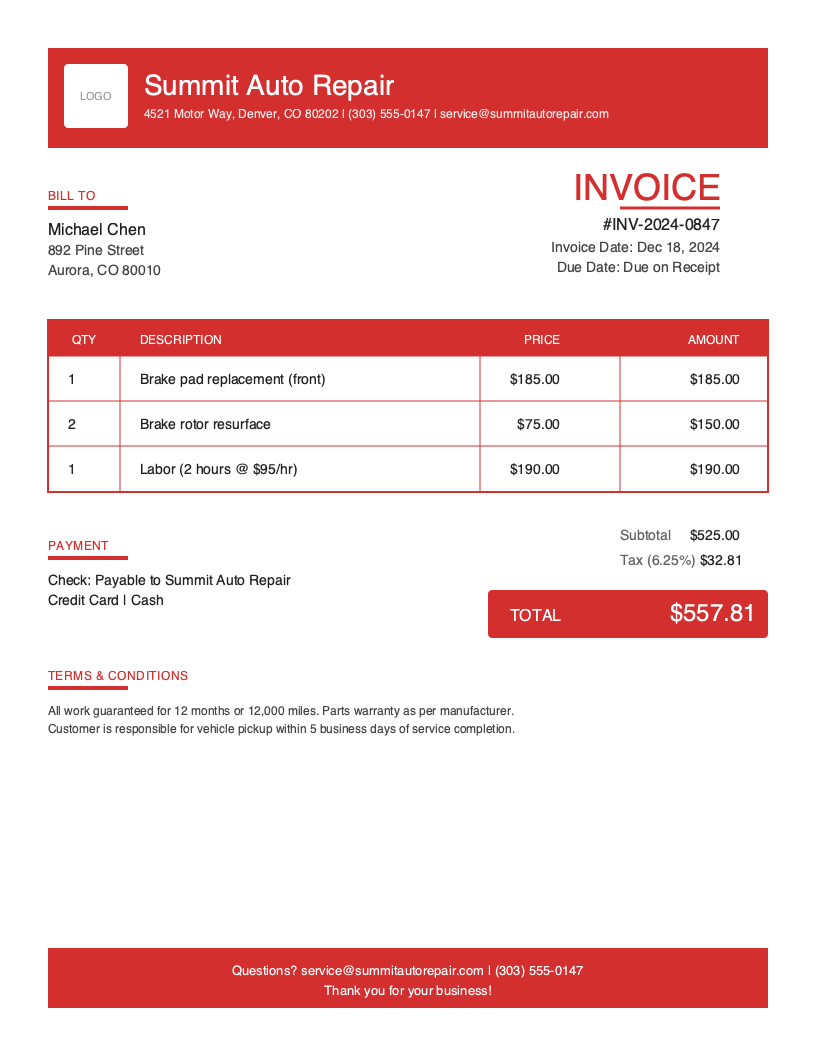
Download Free Auto Repair Invoice Template
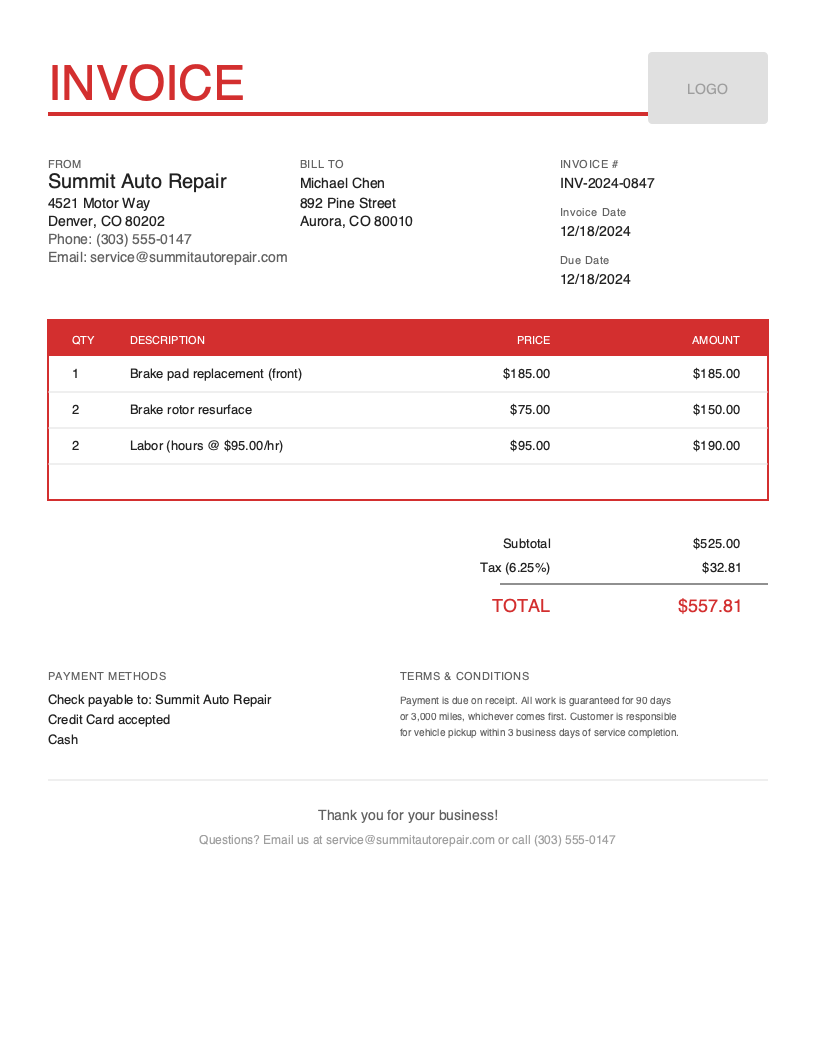
Get Your Free Auto Repair Invoice Template
Download in your preferred format. Customize with your logo, colors, and business details. Start invoicing professionally in minutes.
Microsoft Word
Easy to customize, add your logo
Microsoft Excel
Auto-calculate totals and taxes
Auto Repair Invoice Template Variations
Choose from multiple professional designs. Customize colors, add your logo, and make it yours.
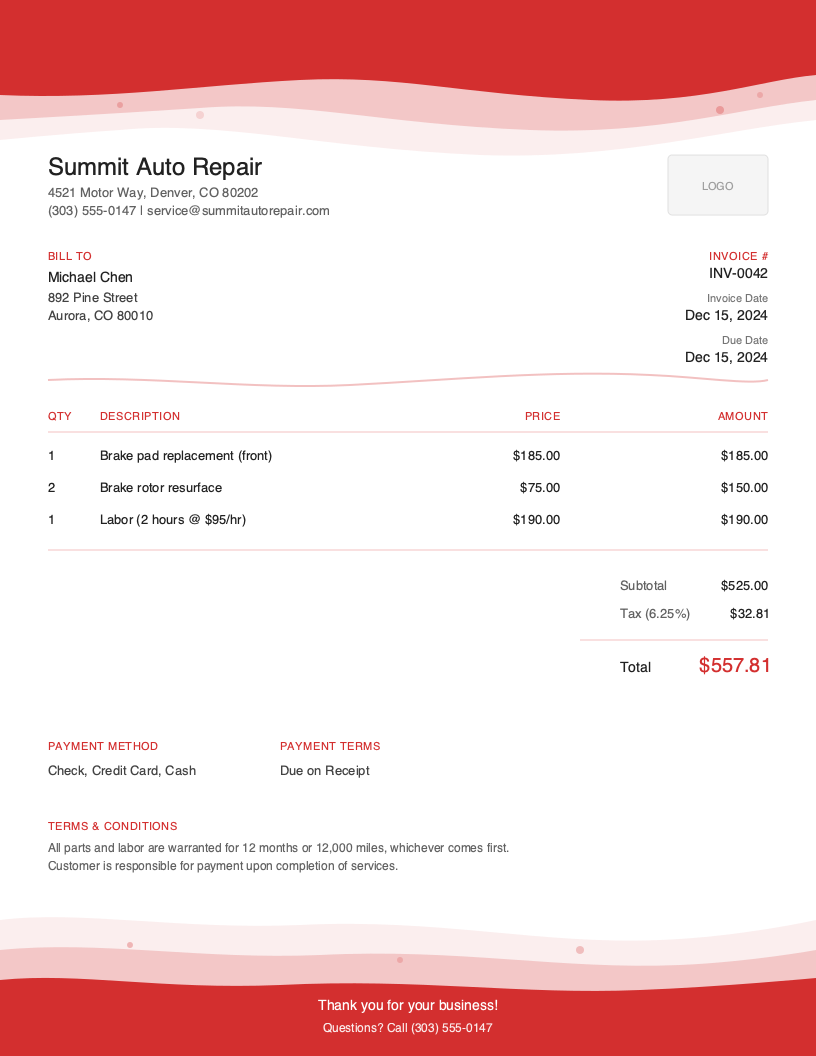
Artistic
Creative accent design
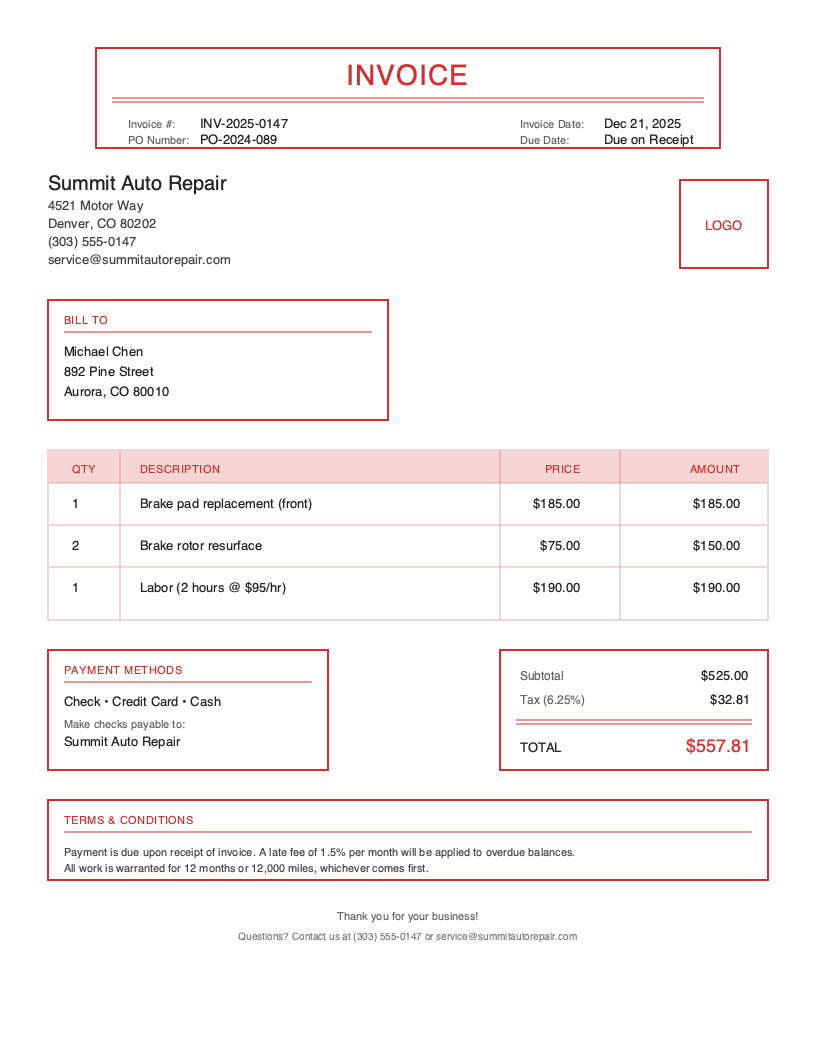
Classic
Traditional professional look
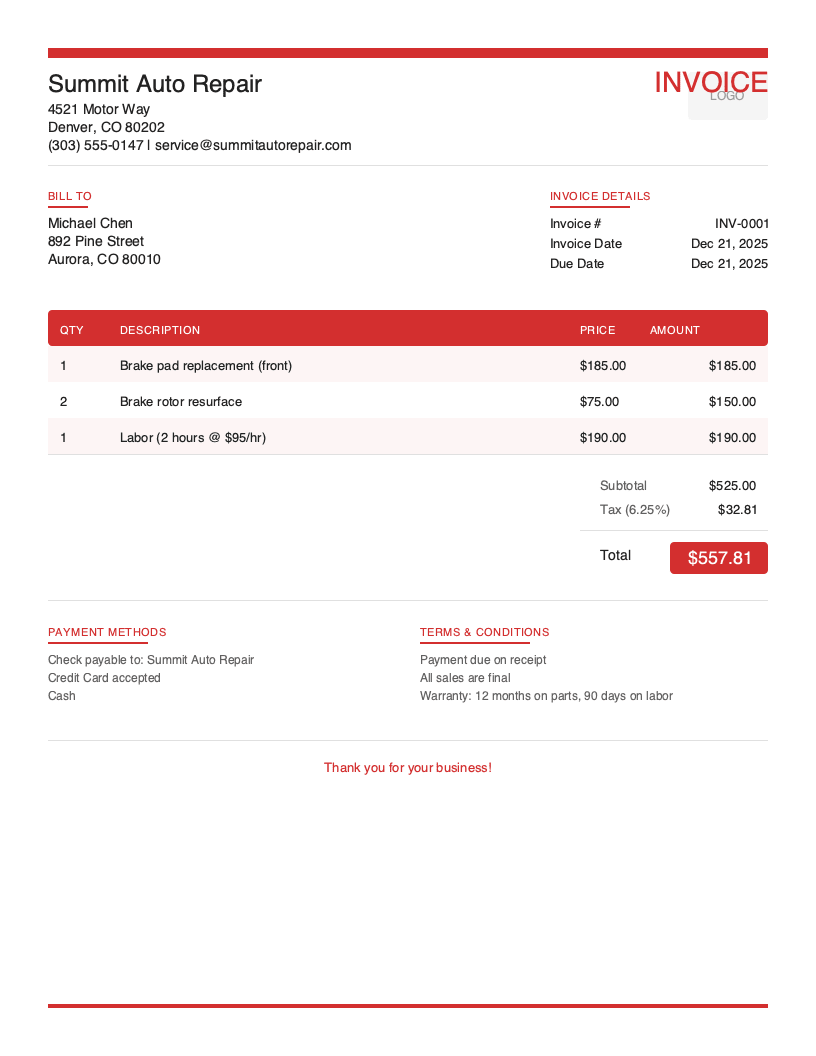
Modern
Clean contemporary style
No signup required. Create and download instantly.
You just finished a four-hour transmission repair. Your hands are covered in grease, three customers are waiting in the lobby, and the phone is ringing. The last thing you want to do is sit down at a computer and manually type up an invoice.
But here is the reality: sloppy invoicing costs auto repair shops thousands of dollars annually in disputed charges, delayed payments, and lost warranty claims. When a customer questions a charge six months later, or an insurance company requests documentation, a professional invoice protects your business.
The auto repair industry has unique invoicing requirements that generic templates simply do not address. You need to document VINs, track mileage, separate parts from labor, and include warranty information—all while keeping your shop running efficiently.
What You’ll Find on This Page
- Free downloadable auto repair invoice templates (Word & Excel)
- Complete breakdown of what every auto repair invoice must include
- Industry statistics and business insights
- Best practices for faster payments and fewer disputes
- How to create invoices in under 60 seconds from your phone
Download Free Auto Repair Invoice Templates
Choose your preferred format and start invoicing professionally today. All templates include auto repair-specific fields including VIN tracking, parts/labor separation, and warranty information. The Excel version includes built-in formulas for calculating parts markup, labor totals, and automatic tax calculations.
What to Include on Your Auto Repair Invoice
A complete auto repair invoice protects both you and your customer. Unlike generic service invoices, auto repair documentation must include vehicle-specific information for warranty claims, insurance purposes, and legal compliance.
Required Invoice Sections
Invoice Header - Invoice number, date, shop logo, license/certification numbers for professional identification.
Business Information - Shop name, address, phone, ASE certifications, and state license.
Client Information - Customer name, address, phone, and email for digital receipts.
Vehicle Information - VIN, year/make/model, mileage, license plate, and color for service documentation.
Line Items - Parts and labor listed separately with part numbers.
Pricing Summary - Subtotals for parts, labor, shop supplies, and fees.
Tax Information - Sales tax on parts and labor tax (varies by state) for legal compliance.
Payment Methods - Cash, check, credit card, and financing options.
Terms & Conditions - Warranty terms, liability limitations, and storage fees for legal protection.
Critical Auto Repair Invoice Elements
VIN (Vehicle Identification Number) - The 17-character VIN is non-negotiable on auto repair invoices. This unique identifier connects your work to the specific vehicle for warranty claims, recall verification, and liability protection. Always verify the VIN from the door jamb or dashboard.
Mileage/Odometer Reading - Document mileage at drop-off and pick-up. This creates a record for warranty eligibility, validates service intervals, and protects against odometer fraud claims.
Parts vs. Labor Breakdown - Separating parts and labor is a legal requirement in many states. Customers have the right to see exactly what they are paying for, and insurance companies require itemized breakdowns for claims processing.
Diagnostic Trouble Codes (DTCs) - When applicable, include the OBD-II codes that prompted the repair. This documentation proves the repair was necessary and provides reference if the check engine light returns.
Understanding Auto Repair Business Invoicing
The U.S. auto repair and maintenance industry generates approximately $115 billion in annual revenue, with over 160,000 repair shops serving vehicle owners nationwide.
Independent Repair Shops - The backbone of the industry, handling everything from oil changes to engine rebuilds. Professional invoicing builds the trust that keeps customers returning.
Mobile Mechanics - A growing segment that brings the shop to the customer. Mobile mechanics especially benefit from digital invoicing with photo attachments to document work performed at customer locations.
Specialty Shops - Transmission specialists, brake shops, alignment centers, and performance tuners focus on specific services where detailed invoicing is critical for customer confidence.
Auto Repair Invoicing Best Practices
Invoice Immediately After Service Completion
Create the invoice while the job is fresh. Waiting until end-of-day or end-of-week leads to forgotten labor time, missed parts, and inaccurate descriptions. With mobile invoicing apps, you can generate invoices from the service bay in under 60 seconds.
Always Document VIN and Mileage
Make VIN and odometer verification part of your intake process. Train every technician to confirm these before touching the vehicle. This habit prevents warranty disputes and protects against fraud claims.
Separate Parts and Labor Line Items
Never lump parts and labor together. List each part individually with part numbers for warranty tracking. Show labor as hours multiplied by your shop rate. This transparency builds trust and simplifies insurance claims.
Include Warranty Information for All Parts
Specify the warranty period for every part installed—manufacturer warranty, aftermarket warranty, or shop warranty. Note any conditions that void coverage. Put this information directly on the invoice.
Photograph Damage and Repairs
Before-and-after photos attached to invoices provide undeniable proof of work performed. This is especially valuable for undercar work customers cannot easily verify. Digital invoicing solutions let you attach photos directly to the invoice record.
Offer Multiple Payment Options
The faster you make it to pay, the faster you get paid. Accept credit cards, debit cards, digital wallets, and offer financing for larger repairs. Note accepted payment methods on your invoice.
Use Diagnostic Trouble Codes in Service Descriptions
When you repair a check engine light issue, include the specific DTC codes (P0300, P0171, etc.) in the line item description. This proves the repair addressed a documented problem.
Create Auto Repair Invoices in Under 60 Seconds
Templates work, but they require manual data entry, calculations, and formatting every time. When you are running a busy shop, every minute matters.
Pronto Invoice was built for auto repair professionals who invoice between jobs, not accountants at a desk. Our mobile-first approach means you create professional invoices from your phone in five simple steps:
- Select Client - Choose from saved customers or add new ones in seconds
- Add Line Items - Parts and labor with automatic calculations
- Set Payment Info - Due dates, accepted methods, late fees
- Add Vehicle Details - VIN, mileage, year/make/model fields built-in
- Review and Send - Email, text, or print instantly
Features Auto Repair Shops Need
Offline Capability - Shop bays and parking lots often have poor cell coverage. Pronto Invoice works completely offline—create and save invoices anywhere, and they sync automatically when you reconnect.
Parts and Labor Tracking - Separate line item categories for parts, labor, and shop supplies with different tax treatments. Set your labor rate once and multiply by hours automatically.
Photo Attachments - Attach before-and-after photos directly to invoices. Document damaged parts, completed repairs, and vehicle condition for your records and customer transparency.
Payment Reminders - Automated reminders follow up on unpaid invoices so you can focus on repairs, not collections. Customers can pay directly from the invoice via credit card or ACH.
QuickBooks Integration - Professional tier includes real-time QuickBooks sync. Invoices flow directly to your accounting software—no double entry, no reconciliation headaches.
Auto Repair Invoicing Best Practices
Invoice Immediately After Service
Create the invoice while the job is fresh. Waiting leads to forgotten labor time, missed parts, and inaccurate descriptions.
Always Document VIN and Mileage
Make VIN and odometer verification part of your intake process. This prevents warranty disputes and protects against fraud claims.
Separate Parts and Labor
Never lump parts and labor together. List each part individually with part numbers. Show labor as hours multiplied by your shop rate.
Include Warranty Information
Specify warranty terms for both parts and labor. Include duration, what voids coverage, and the claim process directly on the invoice.
Photograph Damage and Repairs
Before-and-after photos attached to invoices provide undeniable proof of work performed, especially valuable for undercar work.
Frequently Asked Questions
A complete auto repair invoice must include: shop information (name, address, license numbers), customer details, vehicle information (VIN, year/make/model, mileage, license plate), itemized parts with part numbers and costs, itemized labor with hours and rates, applicable taxes, payment terms, and warranty information.
Auto repair labor rates typically range from $75 to $150+ per hour depending on location, specialization, and shop overhead. Many shops use 'flat rate' pricing based on published labor times (Mitchell, ALLDATA) rather than actual clock time.
Sales tax rules vary by state. Most states tax parts, but labor taxation differs. Some states exempt repair labor entirely, others tax it fully. Check your state's Department of Revenue guidelines and always show tax as a separate line item.
Related Invoice Templates
Start Creating Professional Auto Repair Invoices Today
Join thousands of professionals who use Pronto Invoice to get paid faster. Create your first invoice in under 60 seconds.
This guide is for informational purposes only and does not constitute legal or tax advice.