
Free Sales Receipt Template
Create professional sales receipts in under 30 seconds. Download free templates or use our mobile app with PAID stamp, offline support, and instant delivery.
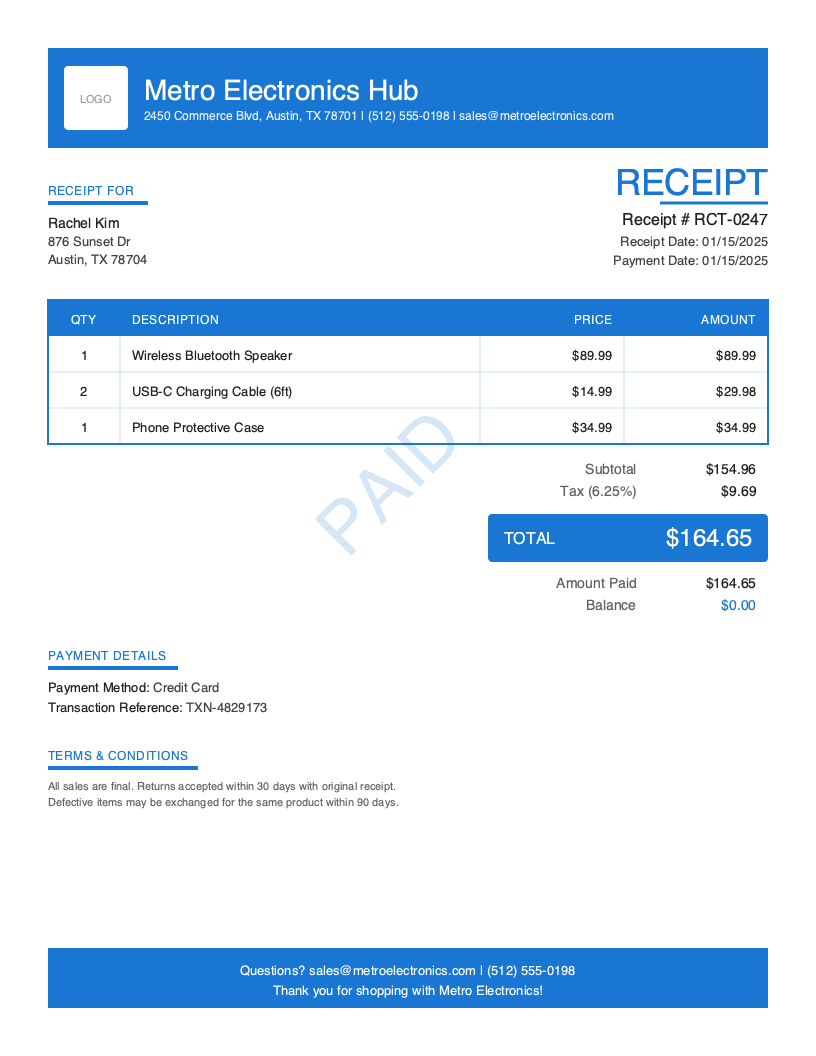
Download Free Sales Receipt Template
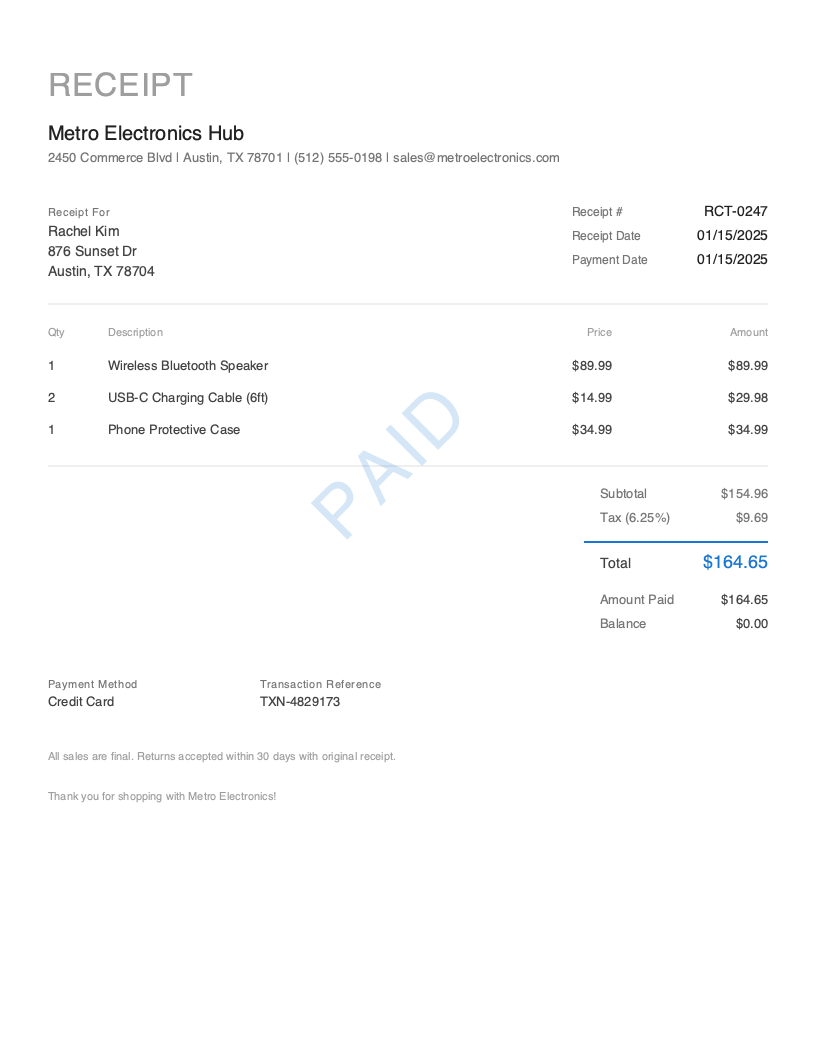
Get Your Free Sales Receipt Template
Download in your preferred format. Customize with your logo, colors, and business details. Start issuing professional receipts in minutes.
Microsoft Word
Easy to customize, add your logo
Microsoft Excel
Auto-calculate totals and taxes
Businesses issuing professional receipts reduce payment disputes significantly
Largest segment of small businesses issuing sales receipts on-site
Time to create and send a professional receipt with Pronto Invoice
You just sold a $900 laptop bundle to a walk-in customer. She paid with her credit card, the transaction went through, and now she’s standing at the counter waiting for proof of payment. A handwritten note on a sticky pad won’t cut it. She needs a professional sales receipt — and you need one for your records, too.
Sales receipts are the backbone of retail and service-based transactions. They confirm that money changed hands, document exactly what was purchased, and protect both the seller and the buyer if questions arise later. Businesses that issue professional receipts reduce payment disputes by up to 65% and build significantly more customer trust than those relying on informal records.
Here’s the key distinction: a sales receipt confirms payment already received. It’s not an invoice requesting payment — it’s proof that the transaction is complete. Every sales receipt should carry a clear PAID indicator, the payment method used, and a transaction reference. This page gives you everything you need to create professional sales receipts, whether you download a free template or use our mobile app.
What you’ll find on this page:
- Free downloadable sales receipt templates (Word & Excel)
- Complete breakdown of required receipt elements
- When and why to use sales receipts
- Best practices for professional receipts
- How to create receipts in under 30 seconds
Download Free Sales Receipt Templates
Get started immediately with our professionally designed sales receipt templates. Both formats include a prominent PAID stamp and all essential receipt fields.
| Format | Best For | Download |
|---|---|---|
| Microsoft Word | Easy customization — add your logo, colors, and business details | Download Word |
| Microsoft Excel | Auto-calculate line item totals, tax, and amount paid | Download Excel |
Tip: The Excel template includes built-in formulas that automatically calculate subtotals, tax amounts, and totals. Enter your quantities and unit prices, and the receipt does the math for you.
Both templates include a PAID stamp, payment method field, and transaction reference — the three elements that distinguish a receipt from an invoice.
Want more polished designs? Create custom receipts with our receipt generator.
What to Include on a Sales Receipt
A sales receipt serves one purpose: proving that payment was received. Unlike an invoice — which requests payment and includes due dates and payment terms — a receipt documents a completed transaction. Every element on your sales receipt should reinforce this: the payment happened, here’s what was purchased, and here’s the proof.
Required Receipt Sections
| Section | What to Include | Why It Matters |
|---|---|---|
| Receipt Header | Receipt number (RCT-0001), receipt date, document title “RECEIPT” | Identifies the document and makes it searchable in your records |
| Business Information | Company name, address, phone, email | Tells the customer who they paid and how to reach you |
| Client Information | Customer name and address | Links the receipt to a specific buyer for returns, warranties, or tax records |
| Line Items | Product/service descriptions with quantity, unit price, and amount | Documents exactly what was purchased |
| Pricing Summary | Subtotal, tax, total, amount paid, balance ($0.00) | Confirms the full amount was collected — balance must be zero |
| Payment Details | Payment method used, transaction reference, payment date | Creates an auditable trail of how and when payment was made |
| PAID Indicator | Prominent PAID stamp or badge | The defining visual element — immediately communicates this is a completed transaction |
| Terms & Conditions | Return policy, warranty terms, or refund conditions | Protects your business and sets customer expectations |
| Thank You Message | Brief gratitude message | Professional touch that encourages repeat business |
Critical Sales Receipt Elements
Payment Method Used Every sales receipt must specify how the customer paid — credit card, debit card, cash, check, Zelle, Venmo, or another method. This isn’t a list of options you accept (that’s an invoice concept). It’s the single, specific method that was actually used for this transaction. Include a transaction reference number when available (e.g., TXN-4829173 for card payments, check numbers for checks).
PAID Status Indicator The PAID stamp is what visually separates a receipt from every other business document. It should be prominent, immediately visible, and leave zero ambiguity that this transaction is settled. Position it consistently on every receipt you issue. Customers filing receipts for expense reports or tax documentation rely on this indicator.
Amount Paid and Zero Balance A sales receipt always shows the full amount paid and a $0.00 balance. If the balance isn’t zero, you’re looking at a deposit receipt or a partial payment — not a standard sales receipt. The amount paid should match the total exactly, confirming the transaction is closed.
Receipt Number Assign a unique receipt number (RCT-0001, RCT-0002, etc.) to every sales receipt. Sequential numbering creates an auditable trail for bookkeeping, tax preparation, and dispute resolution. If you also issue invoices, keep receipt numbers in a separate sequence to avoid confusion.
Understanding Sales Receipts
When You Need a Sales Receipt
Sales receipts apply to virtually any completed transaction — making them the most versatile receipt type. Common scenarios include:
- Retail purchases — A customer buys products in your store or online and pays at checkout
- On-site service completion — You finish a job, collect payment, and hand over proof before leaving
- Recurring product orders — A regular client places and pays for their monthly supply order
- Same-day service and payment — Haircuts, auto detailing, tutoring sessions, or any service paid at completion
- Online sales — E-commerce transactions where the customer pays upfront before shipment
Who Uses Sales Receipts
Sales receipts span every industry and business size. Field service professionals (40% of small businesses) issue sales receipts after completing on-site work — a landscaper finishing a lawn treatment or a mobile mechanic completing a brake job. Freelancers and creatives (25%) provide sales receipts for project deliverables paid on completion. Small retail and service businesses (25%) generate sales receipts for every point-of-sale transaction. Solopreneurs (10%) use them to maintain professional records even for informal transactions.
Sales Receipt vs. Invoice
This distinction matters for your bookkeeping and your customer relationships:
| Sales Receipt | Invoice | |
|---|---|---|
| When issued | After payment is received | Before payment — requests money |
| Purpose | Proof of completed payment | Creates obligation to pay |
| Key fields | Payment method, amount paid, PAID stamp | Due date, payment terms, balance due |
| Balance | Always $0.00 | Outstanding amount owed |
| Legal role | Confirms transaction is settled | Establishes accounts receivable |
Tax and Legal Implications
Sales receipts serve as primary documentation for tax reporting on both sides of the transaction. Sellers need receipts to substantiate reported revenue. Buyers need them to claim business expense deductions. The IRS expects businesses to maintain receipt records for a minimum of three years, and many accountants recommend seven. Digital receipts with proper numbering and payment details satisfy documentation requirements more reliably than paper records.
Create Sales Receipts in Under 30 Seconds
Free templates work for occasional receipts, but if you issue sales receipts regularly, a dedicated app eliminates repetitive data entry and keeps your records organized automatically.
Pronto Invoice turns receipt creation into a 30-second workflow — from your phone, tablet, or desktop.
5-Step Receipt Creation
- Select Client — Choose from saved clients or add a new one
- Add Items — Pick from your product/service catalog or enter custom line items
- Payment Info — Select how the customer paid (cash, card, check, Zelle, etc.) and enter the payment date
- Document Info — Receipt number auto-generates; add notes or terms if needed
- Review & Send — Preview the receipt with PAID stamp, then email, text, or print
The key difference from invoicing: Step 3 asks “How was this paid?” — not “How can they pay?” You’re documenting a completed transaction, not requesting future payment.
Features for Professional Receipts
- PAID Stamp — Every receipt includes a prominent PAID indicator, automatically applied
- Offline Capability — Create receipts without internet connection, perfect for on-site transactions at job sites, markets, or events
- Auto-Receipt on Payment — Record a payment against an invoice, and the receipt auto-generates with all details pre-filled
- Photo Attachments — Attach up to 4 photos documenting the product sold, service completed, or job-site condition
- On-Site Signature — Capture the customer’s signature on your phone for added proof of transaction
- Multiple Payment Methods — Track cash, check, credit card, debit card, Zelle, Venmo, PayPal, ACH, and more
- Invoice-to-Receipt — Convert a paid invoice to a receipt with one tap, carrying over all line items and client details
Related Receipt Templates
Looking for other receipt types? Browse our complete collection:
- Cash Receipt Template — For cash-only transactions with signature verification
- Service Receipt Template — For completed service work with labor and materials
- Payment Receipt Template — For payments received against existing invoices
- Contractor Receipt Template — For construction and home improvement projects
- All Receipt Templates
- Invoice Templates — Need to request payment instead? Start with an invoice
Start Creating Professional Sales Receipts Today
Stop handwriting receipts or fussing with Word documents. Pronto Invoice creates polished, PAID-stamped sales receipts from your phone in under 30 seconds — on-site, offline, or at your desk.
Every receipt includes your branding, automatic calculations, payment method tracking, and instant delivery via email or text. Your customers get professional proof of payment. You get organized records ready for tax season.
Create Free Sales Receipt → | Download the App →
This guide is for informational purposes only and does not constitute legal or tax advice. Consult with a qualified professional for guidance specific to your situation and jurisdiction.
Last updated: March 2026
Sales Receipt Best Practices
Issue the Receipt Immediately
Hand the customer their receipt at the moment of payment. Immediate delivery eliminates disputes, gives customer confidence, and keeps your records current.
Always Specify the Payment Method
Never issue a sales receipt without documenting how payment was made. 'Credit Card — TXN-4829173' is far more useful than a blank payment field.
Use Professional, Branded Templates
A receipt with your logo, business colors, and clean formatting communicates that you run a serious operation. Customers trust and return to businesses with polished documentation.
Include Detailed Line Item Descriptions
Detailed descriptions reduce return confusion, support warranty claims, and help customers match receipts to purchases when reviewing expenses.
Make the PAID Stamp Unmistakable
The PAID indicator should be the most visually prominent element after the total amount. Customers filing for reimbursement or tax deductions need this confirmation.
Keep Digital Copies of Every Receipt
Paper receipts fade, get lost, and can't be searched. Cloud-based receipt management lets you search by customer, date, amount, or receipt number.
Include Return and Refund Terms
State your return policy directly on the receipt. This protects your business from disputes and sets clear customer expectations.
Frequently Asked Questions
A professional sales receipt must include your business name and contact information, the customer's name, a unique receipt number (RCT-0001), the receipt date, detailed line items with descriptions and prices, subtotal, tax, total amount, amount paid, payment method used with transaction reference, and a clear PAID indicator. Optional but recommended: return policy, warranty terms, and a thank you message.
No. A receipt and an invoice serve opposite purposes. An invoice is sent before payment to request money — it includes a due date, payment terms, and a balance owed. A receipt is issued after payment to confirm money was received — it shows the payment method used, amount paid, a $0.00 balance, and a PAID stamp. Think of it this way: invoices create accounts receivable, receipts close them.
In most U.S. states, businesses are required to provide a receipt for transactions above a certain threshold (commonly $20-$75, depending on the state). Even when not legally required, issuing receipts is a best practice. Receipts protect you from disputes, satisfy customer expectations, and create the documentation trail your accountant needs at tax time.
Download a mobile invoicing app like Pronto Invoice, set up your business profile and logo once, then create receipts in under 30 seconds: select the client, add items, choose the payment method, and send. The app auto-generates receipt numbers, calculates totals and tax, and applies a PAID stamp.
A sales receipt is the general-purpose receipt for any completed transaction, regardless of how the customer paid. A cash receipt specifically documents cash payments, where there's no digital transaction trail. Cash receipts often include a signature field for added proof since there's no card processor or bank transfer to verify the payment.
Yes. If your transaction includes sales tax, the receipt should show the tax rate, tax amount, and the pre-tax subtotal separately from the total. This breakdown is essential for business expense deductions and for your own tax reporting. Some states require the tax amount to be displayed on every receipt.
The IRS recommends keeping receipt records for at least three years from the date you file the return that includes the income. However, most accountants advise keeping records for seven years to cover extended audit scenarios. Digital receipt management makes long-term storage effortless.
Related Receipt Templates
Start Creating Professional Receipts Today
Create your first receipt in under 30 seconds. Join thousands of professionals who use Pronto Invoice to issue receipts on the spot.
This guide is for informational purposes only and does not constitute legal or tax advice.